RREPL: Interactive Reussir
rreplrrepl is the fastest place to try a Reussir expression. It elaborates each input, compiles it with the JIT, prints the value and its type, and keeps definitions available for the rest of the session. No package or manifest is needed.
Run:
rreplrreplOn a capable interactive terminal, rreplrrepl opens its terminal UI. The same commands are also available in a simple line-oriented prompt, which is useful inside terminal multiplexers and when recording a session:
rrepl --no-tuirrepl --no-tuiEnter an expression at the λ>λ> prompt:
λ> 1 + 12 : i64λ> 1 + 12 : i64The text after the colon is the inferred result type.
Definitions remain in the session, so a function can be entered and used immediately:
λ> fn double(x: i32) -> i32 { x + x }Definition added.λ> double(21)42 : i32λ> fn double(x: i32) -> i32 { x + x }Definition added.λ> double(21)42 : i32This is normal Reussir source—the prompt is the only part that would not appear in a .rr.rr file.
In the plain prompt, put :{:{ on its own line to begin a multiline input and }:}: on its own line to submit it:
λ> :{| fn fact(n: u64) -> u64 {| if n == 0 { 1 } else { n * fact(n - 1) }| }| }:Definition added.λ> :{| fn fact(n: u64) -> u64 {| if n == 0 { 1 } else { n * fact(n - 1) }| }| }:Definition added.Now call the function and ask for the type of an expression without evaluating it:
λ> fact(10)3628800 : u64λ> :type fact(3)fact(3) : u64λ> fact(10)3628800 : u64λ> :type fact(3)fact(3) : u64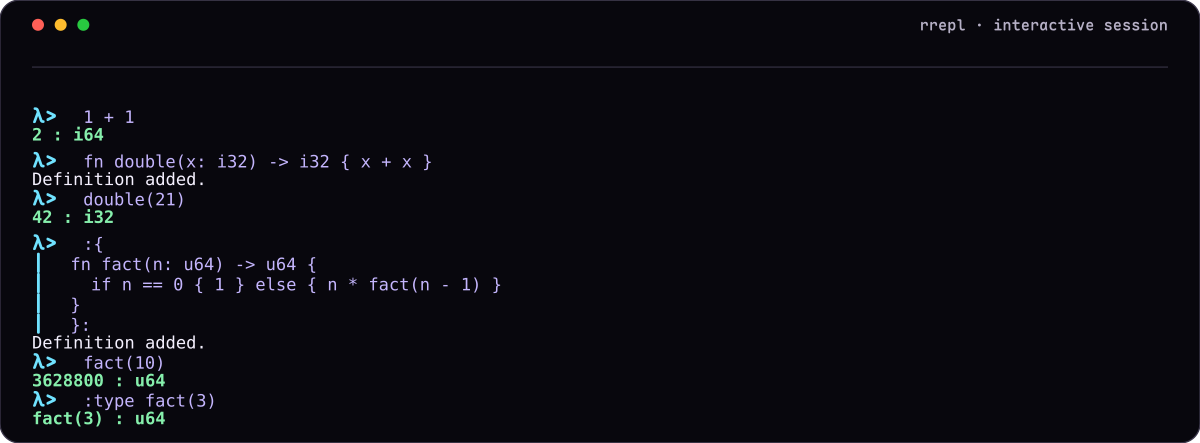
In the full terminal UI, Enter submits complete input and inserts another line while the input is incomplete; Alt+Enter always inserts a newline. The explicit :{:{ and }:}: form works in both frontends and in recorded scripts.
Type :help:help for the complete command list. The commands used most often while exploring are:
:type EXPR:type EXPRelaborates an expression and reports its type without running it;:dump context:dump contextprints the accumulated definitions as HIR;:dump compiled:dump compiledlists functions emitted by the JIT;:dump bindings:dump bindingsshows globalletletbindings and their current values;:set opt LEVEL:set opt LEVELchanges the JIT optimization level for later inputs;:clear:cleardiscards definitions and compiled code;:q:qor:quit:quitexits.
The available optimization levels are nonenone, defaultdefault, aggressiveaggressive, sizesize, and tpdetpde. The default uses TPDE when that backend was included in the build, favoring short compile latency for an interactive session.
For a repeatable experiment, place definitions, expressions, and colon commands in a text file—for example, experiment.replexperiment.repl—and run it line by line:
rrepl -i experiment.repl -l errorrrepl -i experiment.repl -l errorScript mode uses the plain frontend automatically. It is a convenient bridge between a quick interactive idea and the src/lib.rrsrc/lib.rr of a Rene project.