Rene: Your First Project
renerene is the everyday entry point for a Reussir project. It creates the package layout, reads the package manifest, prepares the runtime, calls the compiler, and places the finished program in a predictable build directory. This tutorial starts with an empty directory and ends with a native executable that prints Hello, World!Hello, World!.
Before continuing, check that renerene, rrcrrc, rustcrustc, and cargocargo are available as described in the installation guide.
Choose a directory for the tutorial, then ask Rene to scaffold an executable package:
rene new hello --vcs nonecd hellorene new hello --vcs nonecd helloThe --vcs none--vcs none option keeps this disposable tutorial out of a new Git repository. Omit it for a normal project: Rene initializes Git by default.
The new package begins with two important files:
rene.nclrene.ncldescribes the package and declares an executable namedhellohello;src/lib.rrsrc/lib.rris the root Reussir source file.
The manifest is deliberately verbose and commented so it can serve as a local reference. Nothing in it needs to change for this program.
Open src/lib.rrsrc/lib.rr, replace its contents, and save the following program:
#[ffi(import)]fn print_hello() [{ println!("Hello, World!")}];#[main]pub fn entry() { print_hello();}#[ffi(import)]fn print_hello() [{ println!("Hello, World!")}];#[main]pub fn entry() { print_hello();}#[main]#[main] marks entryentry as the program’s entry point. print_helloprint_hello is a small Rust-backed output helper; for now, it is enough to treat the bracketed body as the code that performs the print.
Run the build from anywhere inside the hellohello directory:
rene buildrene buildRene finds the nearest rene.nclrene.ncl, builds the bundled runtime when necessary, and then compiles every target declared by the manifest. The first build can therefore take longer than later ones. Its final stdout line is the artifact path:
/path/to/hello/reussir-build/dev/hello/path/to/hello/reussir-build/dev/helloRun the executable on Linux or macOS:
./reussir-build/dev/hello./reussir-build/dev/helloOn Windows PowerShell, run .\reussir-build\dev\hello.exe.\reussir-build\dev\hello.exe instead. Either command prints:
Hello, World!Hello, World!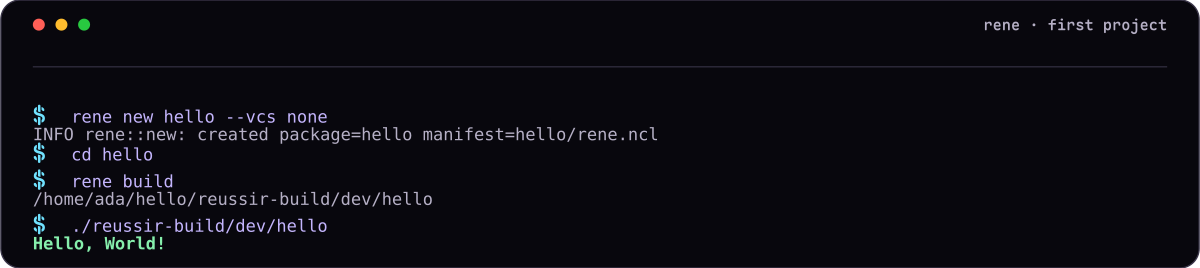
Edit the string in print_helloprint_hello, save the file, and run rene buildrene build again. Rene records the source graph and rebuilds what changed. During development, the following commands cover the usual loop:
rene build # build the dev profilerene build --profile release # optimize a release artifactrene inspect --commands # show the rrc commands Rene plans to runrene clean # remove reussir-buildrene build # build the dev profilerene build --profile release # optimize a release artifactrene inspect --commands # show the rrc commands Rene plans to runrene clean # remove reussir-buildRelease artifacts appear under reussir-build/release/reussir-build/release/. Projects with several targets can select one with rene build --bin NAMErene build --bin NAME or rene build --lib NAMErene build --lib NAME, but the default is exactly right for this first package.
Continue with Inspecting the Compiler to see how rrcrrc understands the program Rene just built.